
Omron NX-TC2406 — Intelligence Built Into the Card
No PIDAT blocks, no tuning, no alarm logic. The NX-TC2406 runs its own PID engine internally — your PLC just writes a setpoint and reads a process value.
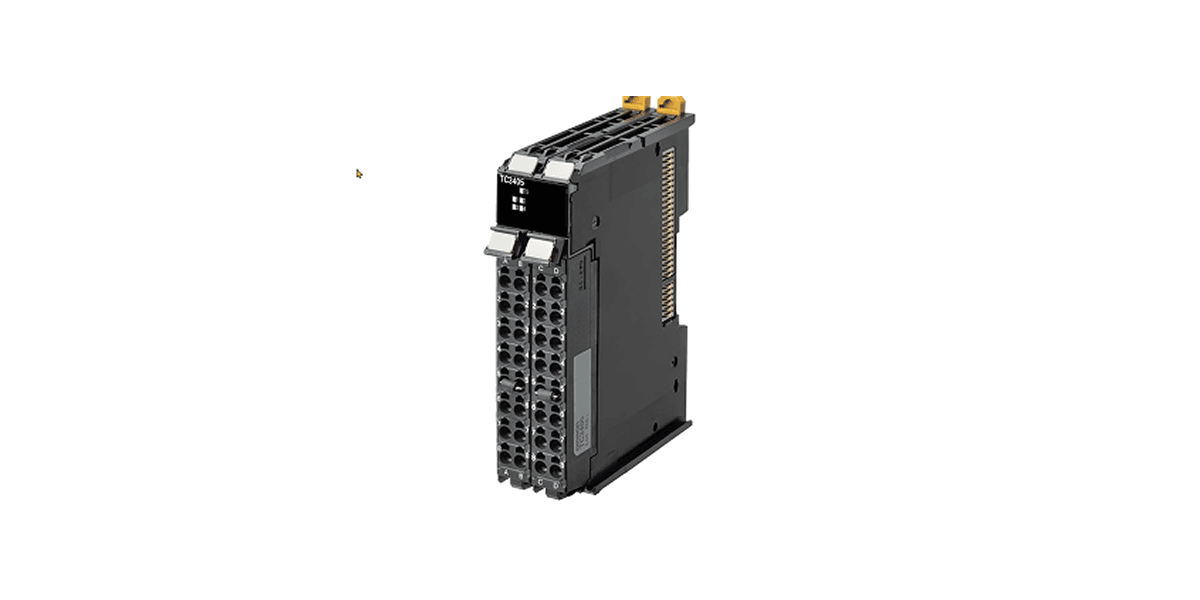
Look, I get it. You are an engineer. You have a machine to build, a deadline to hit, and approximately zero patience for a five-page article when you just need to know if this card solves your problem. So here it is — everything that matters about the NX-TC2406, up front, no preamble:
⚡ The Short Version — Why This Card Is Different
Still with us? Good. The rest goes deeper on each point — and covers how to get the card running in Sysmac Studio in minutes.
Introduction
Ask any automation engineer about the hidden cost of temperature control in a PLC-based system, and the answer usually comes back the same: programming. Before a single zone reaches its setpoint, someone has to write and tune PIDAT function blocks, map I/O, handle alarms in logic, and re-tune every time process conditions change. It is time-consuming, it demands expertise, and it introduces risk every time the code is touched.
The Omron NX-TC2406 takes a fundamentally different approach. It is a self-contained temperature control card — a dedicated intelligence unit that handles everything internally: sensor reading, PID calculation, output drive, alarm detection, and adaptive tuning. The PLC is not involved in any of that computation. There are no PIDAT function blocks to write, no tuning loops in the task cycle, and no temperature control logic to maintain.
The Core Concept: A Controller Card, Not a PLC Module
The NX-TC2406 is a dedicated temperature controller with its own embedded processor and control engine. The PLC communicates with it — exchanging setpoints, reading measured values, checking status — but the PLC does not perform the control. Every PID calculation, every output adjustment, every alarm evaluation, every adaptive tuning step happens entirely inside the card, continuously, independent of the PLC scan cycle.
The NX-TC2406 executes all temperature control computation on-card.
The PLC provides setpoints and reads status. It does not calculate outputs, tune gains, or manage alarms in logic.
There are no PIDAT, PID, or temperature-related function blocks required in your PLC programme.
What You No Longer Need to Write
With a conventional PLC-based approach, the programme typically contains some or all of the following:
- PIDAT or PID function blocks — one per controlled zone, wired to analogue I/O
- Tuning parameter storage — proportional band, integral time, derivative time, per channel
- Setpoint ramp logic — to prevent thermal shock on startup
- Alarm handling logic — over-temperature, under-temperature, and heater burnout
- Manual / automatic mode switching logic
- AT (auto-tune) sequences and re-tuning procedures
Getting Started in Sysmac Studio
Because all control logic lives on the card, Sysmac Studio is used purely for configuration — not for writing control code. There is no programme to develop, no function blocks to instantiate, and no variables to wire.
Register the Unit in the I/O Map
The NX-TC2406 appears in the hardware catalogue as an NX-series Temperature Control Unit. Drag it into the correct slot; Sysmac Studio creates the associated I/O data structure automatically — no manual variable creation.
Configure Each Channel
Set input type (thermocouple K/J/T or RTD Pt100/Pt1000), temperature unit, control mode, setpoint, alarm thresholds and output assignment — all through the GUI, no code.
Transfer Parameters to the Card
Go online and transfer the unit parameters. They are written to the card's non-volatile memory and retained through power cycles — no dependency on the PLC programme.
Map I/O Variables in Your Programme
The mapping is generated automatically when the unit is added to the rack. No PIDAT instance variables, no tuning arrays — just the handful of I/O words you actually need.
Go Live and Let the Card Do the Rest
Set the ControlStart variable. The card begins its 50 ms control cycle, reads the sensor, drives the SSR output and calculates PID gains automatically on first run.
Select input type → set setpoint & alarm limits → transfer parameters → map three variables → start control. No PLC temperature control code written at any point.
Key I/O Variables
| Variable | Direction | Description |
|---|---|---|
| Ch1_SetPoint | PLC → Card | Target temperature for channel 1 |
| Ch1_ProcessValue | Card → PLC | Current measured temperature, channel 1 |
| Ch1_AlarmStatus | Card → PLC | Alarm flags — over-temp, under-temp, HBA, LBA |
| Ch1_ManipulatedValue | Card → PLC | Current output percentage (optional monitoring) |
| Ch1_ControlStart | PLC → Card | Start / stop temperature control on channel 1 |
| Ch2_SetPoint | PLC → Card | Target temperature for channel 2 |
| Ch2_ProcessValue | Card → PLC | Current measured temperature, channel 2 |
| Ch2_AlarmStatus | Card → PLC | Alarm flags for channel 2 |
Product Specifications
| Specification | Detail |
|---|---|
| Model | NX-TC2406 |
| Number of Channels | 2 independent control channels |
| Control Computation | On-card — independent of PLC scan cycle |
| PLC Function Blocks | None required — card handles all PID & alarms |
| Input Types | Multi-input: Thermocouple (B/C/E/J/K/L/N/R/S/T/U/W/PLII) and RTD (Pt100, Pt1000) |
| Output Type | Voltage output for driving SSR — 4 points |
| Control Type | Standard heating control with adaptive PID or ON/OFF |
| Control Cycle | 50 ms — runs independently of PLC task period |
| Supply Voltage | 24 VDC (sourced from NX bus — no external wiring) |
| Operating Temperature | 0 to 55°C |
| Certifications | cULus, EU EN 61131-2, RCM, KC, EAC, NK, LR, BV |
NX-TC2406 vs PIDAT in the PLC
| Consideration | PLC PIDAT | NX-TC2406 |
|---|---|---|
| PID computation | Executes in PLC task — consumes CPU, affected by task jitter | On-card at fixed 50 ms — zero PLC CPU overhead |
| PLC programming | PIDAT blocks, tuning variables, output maps, alarm logic | Write setpoint, read PV and alarms — that is all |
| Initial PID tuning | Manual or AT sequence — engineer judgment required | Automatic adaptive calculation on startup |
| Re-tuning on change | Manual re-tune or re-run AT — engineer on-site | Card re-adapts automatically — no action needed |
| Alarm detection | CT inputs, comparison blocks, latch logic in programme | Built-in HBA, LBA and temperature alarms — on-card |
| Wiring on replacement | Rewire analogue module — full shutdown | Detachable Push-In Plus connector — no rewiring |
Typical Applications
Plastic Injection Moulding
Multi-zone barrel and nozzle control with adaptive tuning for varying mould weights — no per-job re-tuning.
Packaging Machinery
Heat-seal jaw control with automatic noise filtering — no sensor conditioning logic in the programme.
Water-Cooled Extrusion
Barrel zone control with integrated cooling output management — no heating/cooling arbitration code.
Food & Beverage
Consistent pasteurisation and cooking zone control with on-card alarm monitoring.
Semiconductor & Electronics
Precision reflow and bonding zone control with a deterministic 50 ms control cycle.
Pharmaceutical
Validated temperature control with on-card audit trail through I/O data — no bespoke logic.
Conclusion
The Omron NX-TC2406 represents a fundamentally different philosophy to temperature control in PLC-based machine architectures. Rather than treating temperature control as a software problem to be solved in the PLC programme, it treats it as a hardware capability delivered by dedicated, embedded intelligence on the card itself.
Commissioning a 2-zone thermal system is reduced to configuring a setpoint and verifying the process value. Re-tuning after a product changeover is not a task — the card adapts on its own. For machine builders working to reduce programme complexity, shorten commissioning schedules, and eliminate control-logic bugs, the NX-TC2406 offers a compelling and practical solution. The intelligence is in the card. The PLC programme stays clean.
For full specifications and system compatibility, consult the official Omron NX-TC series documentation or contact your local Omron representative.

Comments
No comments yet. Be the first!